Introducing Clarity

We introduce Clarity, the first inherently interpretable AI platform, now available by invitation as a research preview. Current AI systems are black boxes with opaque internal reasoning and no ability to trace output back to input or training data. Powered by Steerling 8B, Clarity fixes these problems. With it, you can:
- Explore how the model reasons. See the human-understandable concepts that drive model output.
- Trace output to training data. Understand how the outputs relate to the data the model was trained on.
- Steer model behavior using concepts. Amplify and suppress concepts to control the model’s output without using prompts.
Introducing Clarity
Today we are launching Clarity, the first inherently interpretable AI platform. Clarity is powered by our instruction finetuned Steerling-8B model. Other models are either black boxes or have interpretability bolted on post-hoc. These methods result in outputs that have untraceable errors and faulty reasoning that can’t be diagnosed. Steerling is the first model that has interpretability built in during training, and the Clarity platform allows you to directly interact with these new capabilities. In the remainder of the post, we will walk you through three key capabilities of Clarity:
- Concept explanations: the human-understandable concepts that Steerling uses to produce its output
- Training data attribution: the training data attributed to the output
- Concept steering: controlling the output of Steerling by amplifying or suppressing concepts, as opposed to changing the prompts
Getting started
Clarity looks like other chat bots besides one big difference: the steering button. This button allows you to amplify or suppress concepts in the AI’s response.
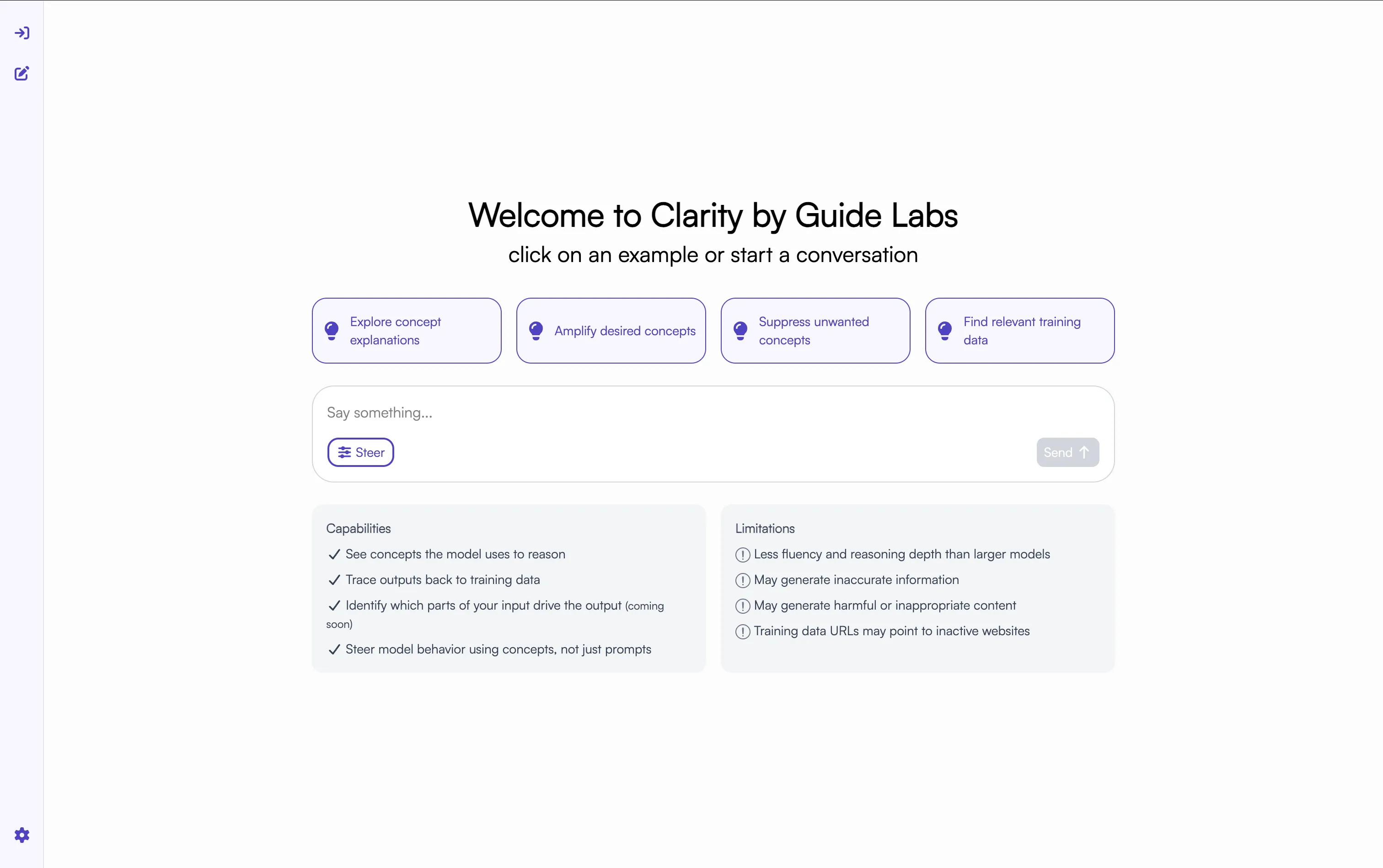
But for now, let’s explore and ask about the fauna in Africa.
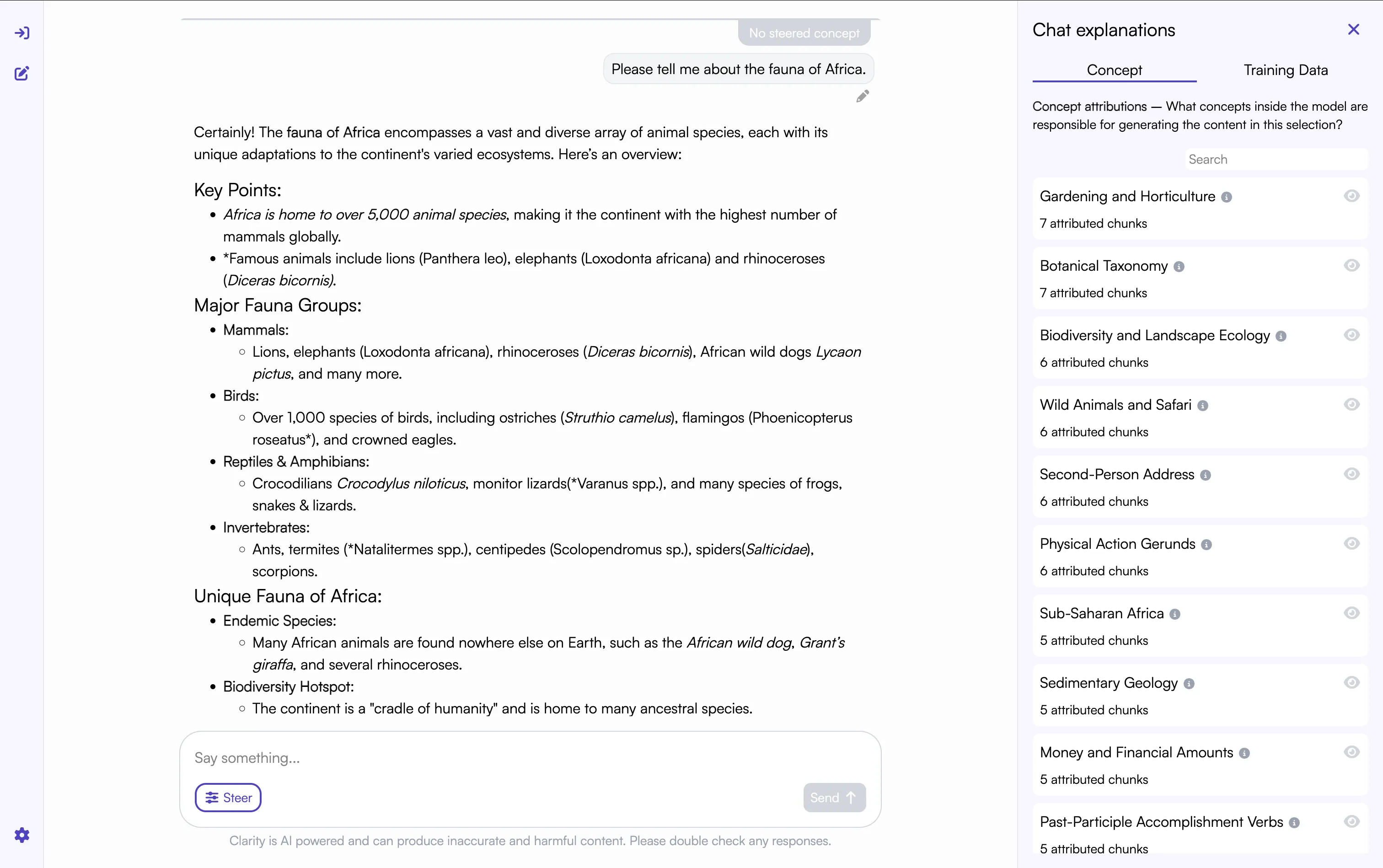
Looking at the response, we immediately see what sets Clarity apart: the Explanations panel.
Trace output to concepts and training data source
Clarity provides two insights into how the AI is generating its output, Concepts and Training Data Attribution. First, let’s look at Concepts. These are the human understandable features the model uses to reason.
With nothing selected, the Explanations panel shows the most common concepts in the chat. This output seems to make sense. We would expect the model to be thinking about Wildlife when responding to a question about living things in Africa!
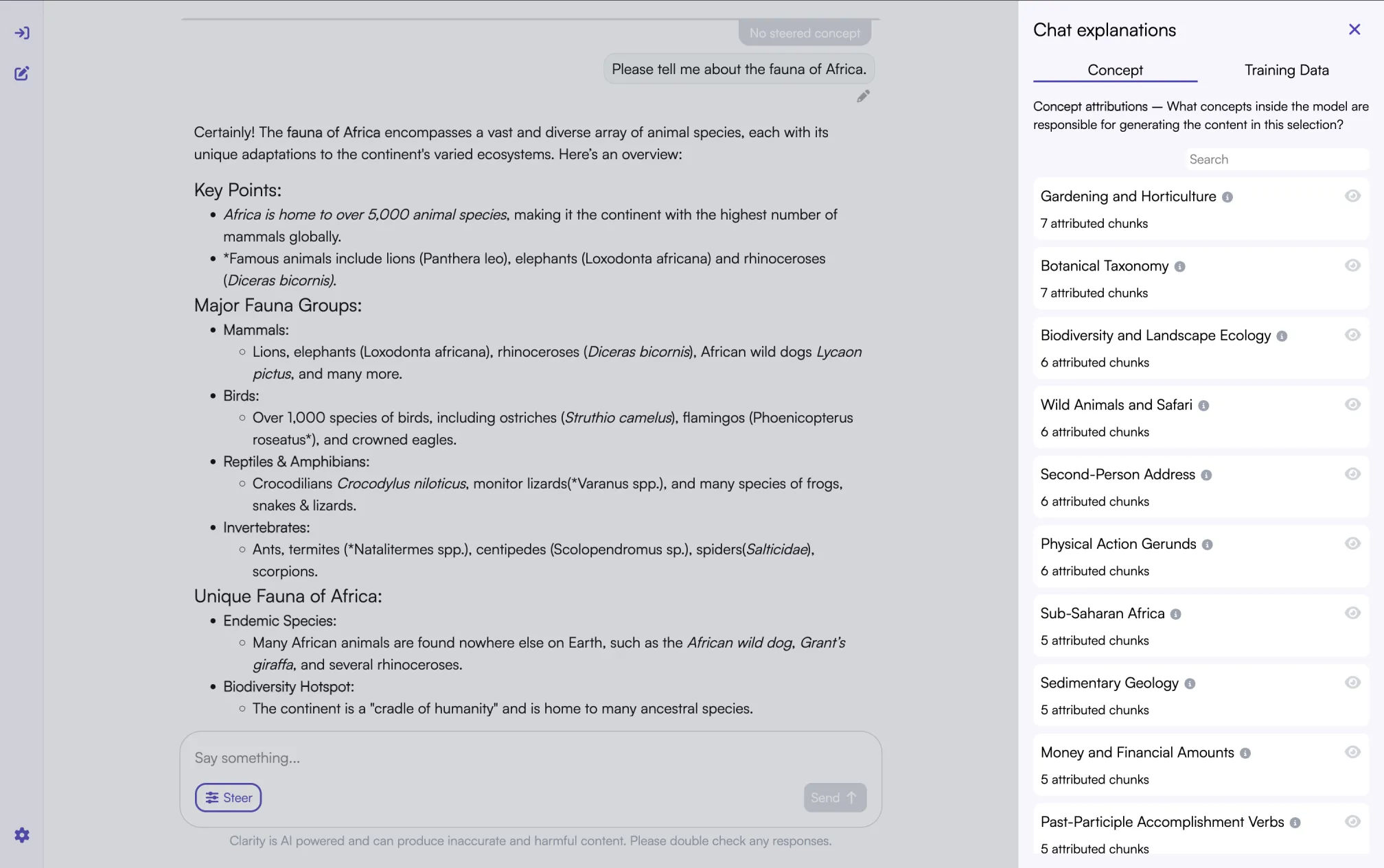
The model generates text in chunks. You can click a chunk and see what concepts the model used to generate it.
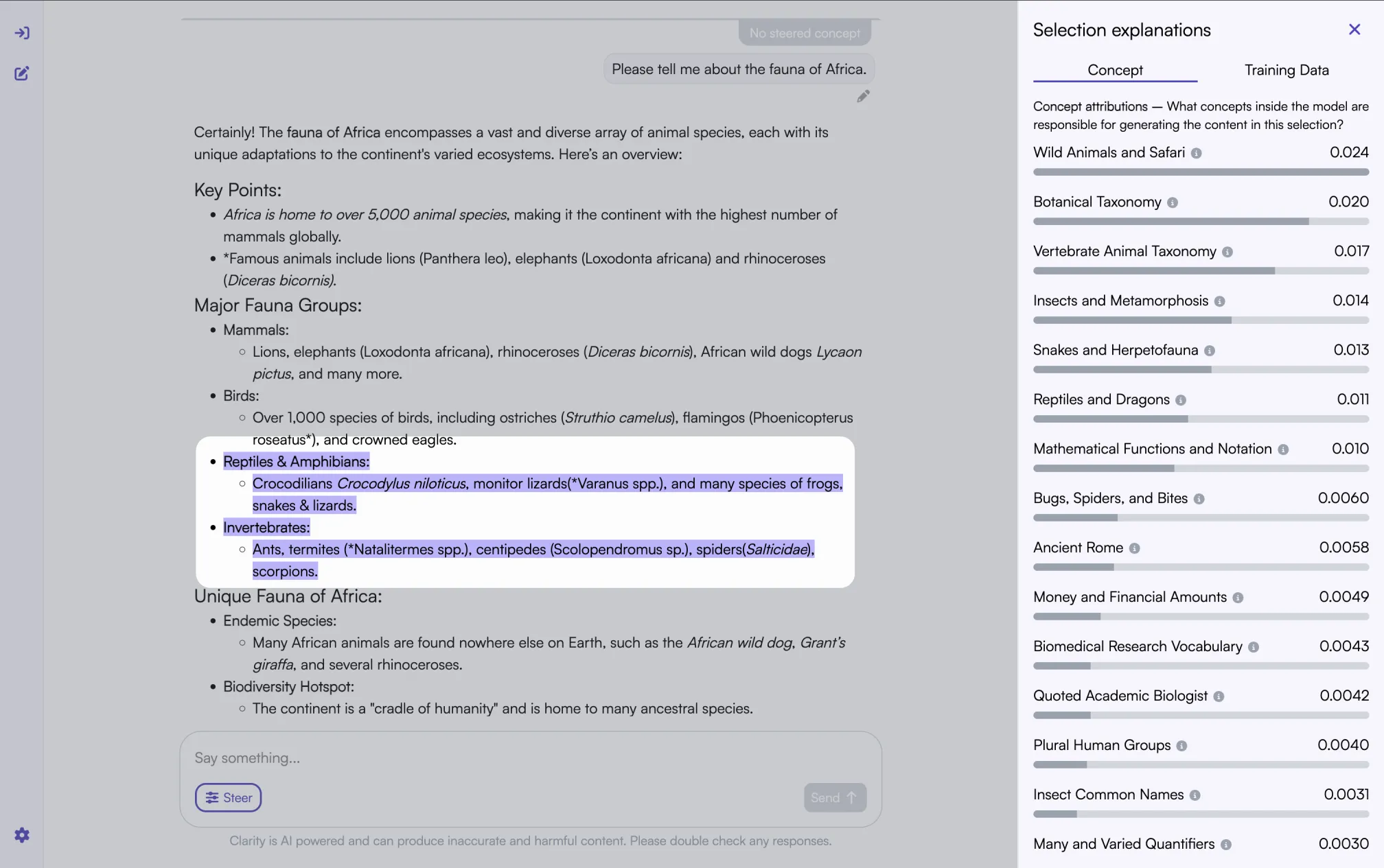
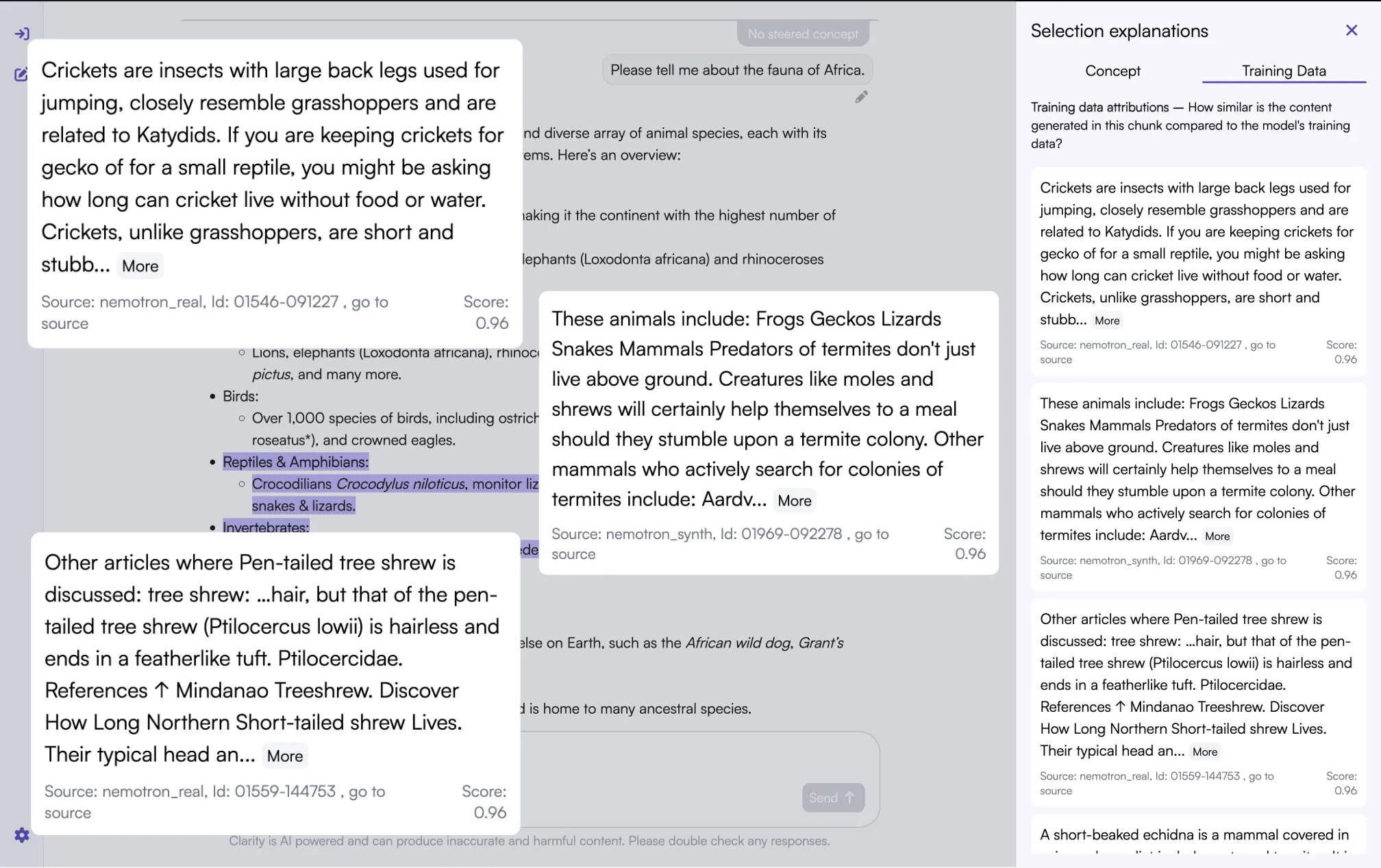
Now let’s take a look at a different feature of the platform: Training Data explanations. With this feature, you can see which chunks in the training set are most similar to the generated one.
Steer any concept in the output without changing prompts
Now that we have seen how Clarity exposes the internal workings of the model, let’s use these to steer the models output without relying on prompts. The current prompt got us a response about the incredible animals living in Africa. Fish are fuana, too, though, and they have been given short shrift. Let’s see if we can remedy that.
To do this, we are going to edit the prompt and click on that steering button.
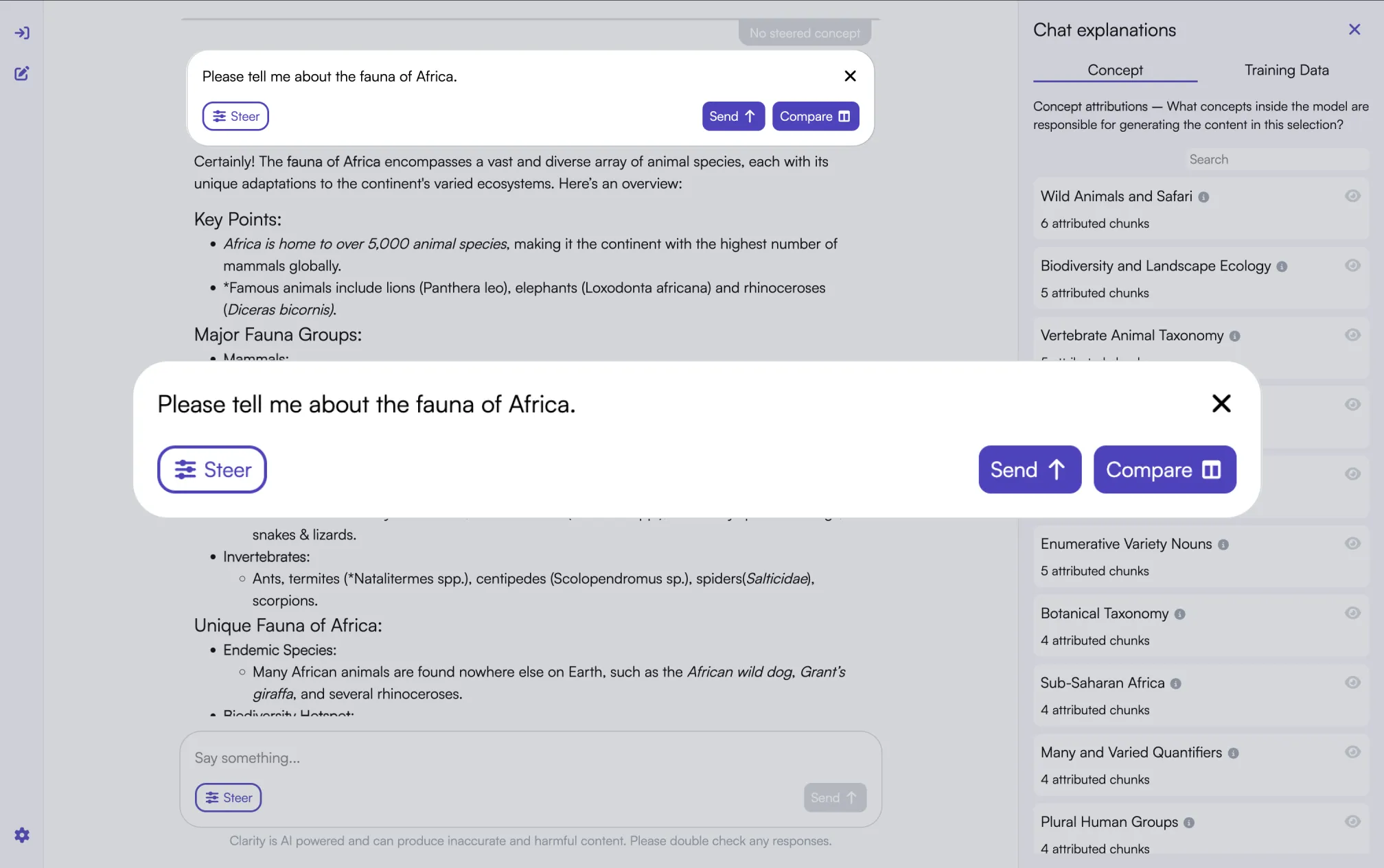
This brings us to a search bar, where we will enter “marine”.
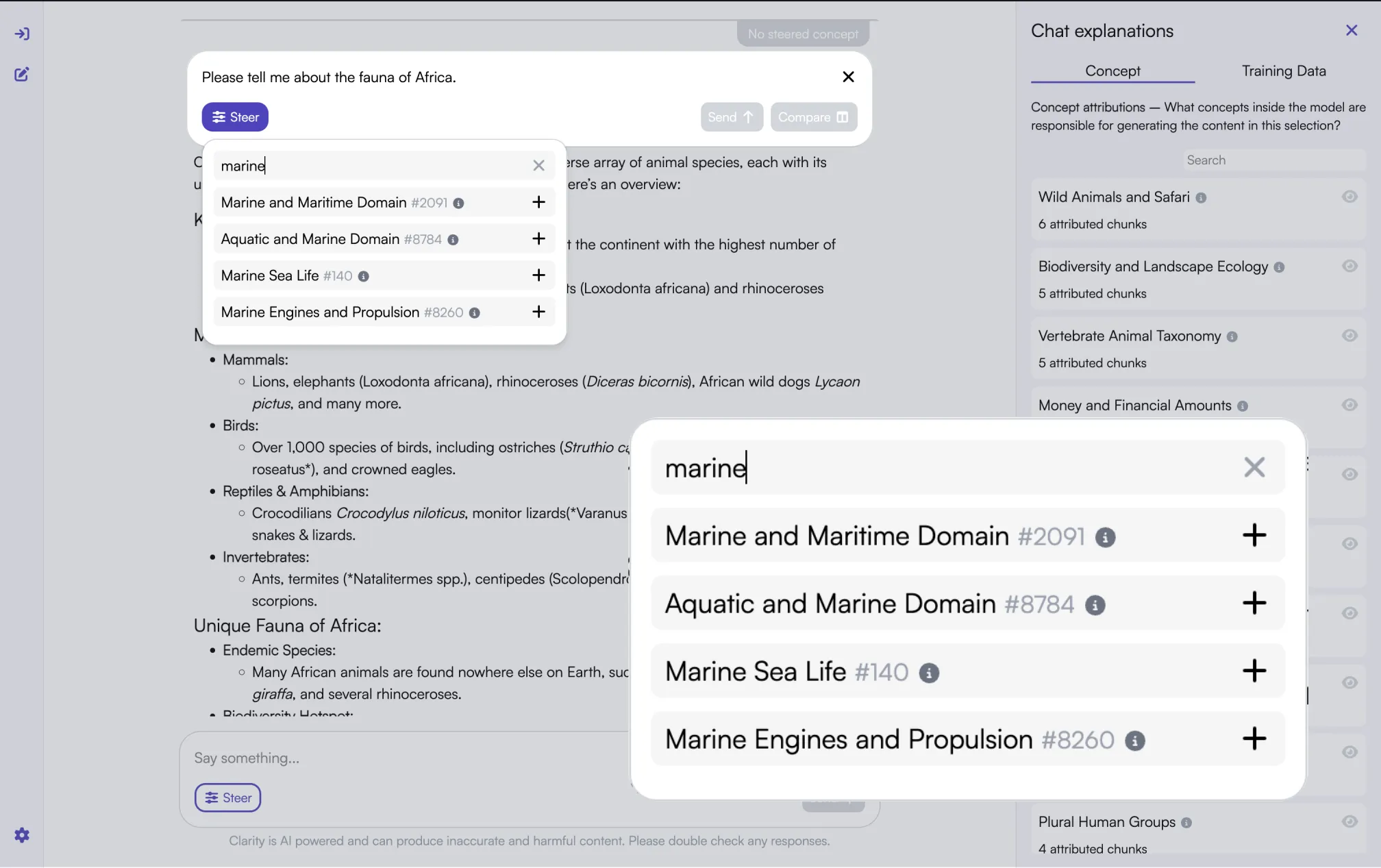
There are a few different options, but “Marine Sea Life” seems to be a good fit. Let’s click add. Amplify is selected by default, which is what we want, so we are all set.
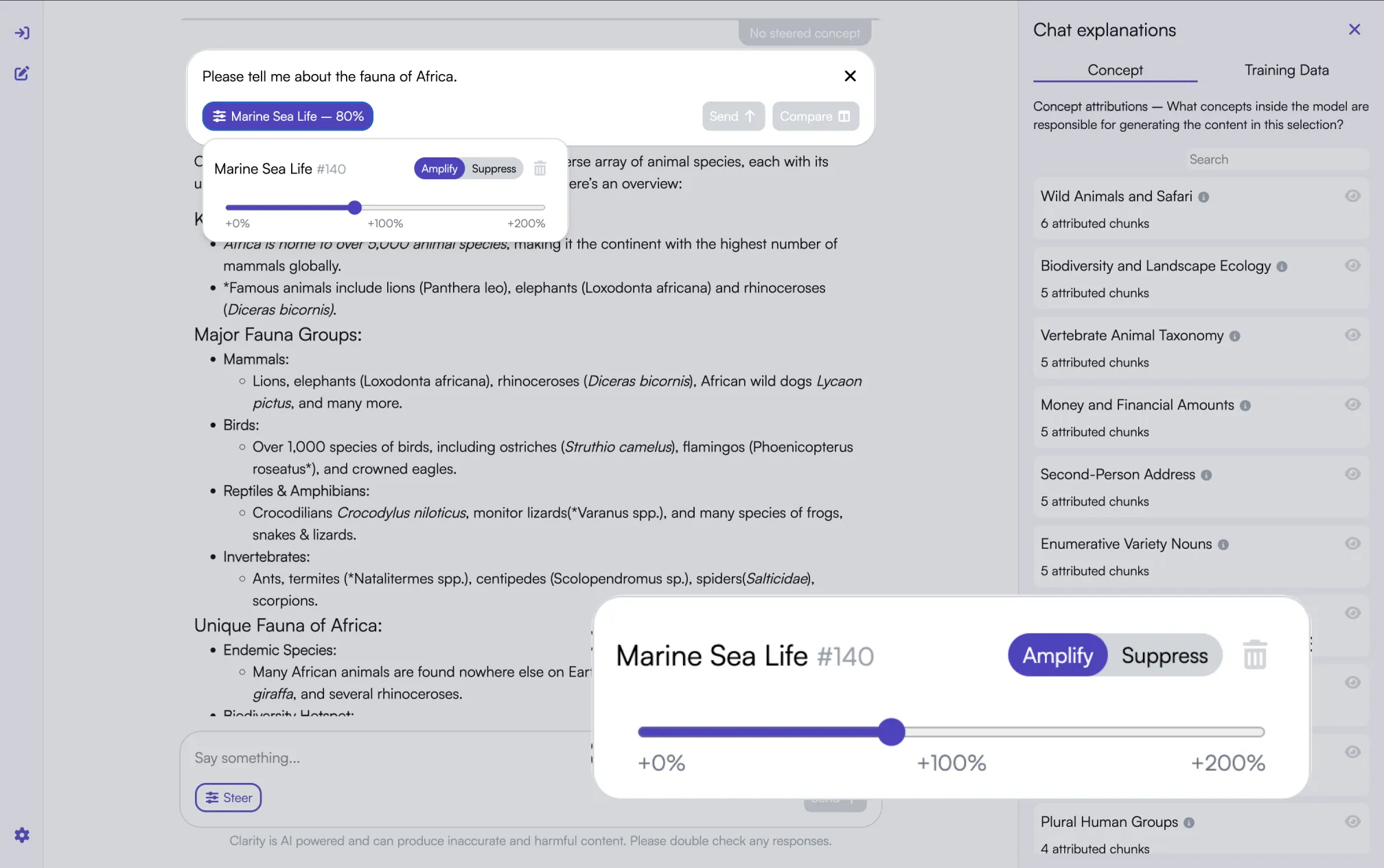
We could click Send and continue in the chat window, but let’s go to the Compare Panel. This will let us see the differences with the initial prompt.
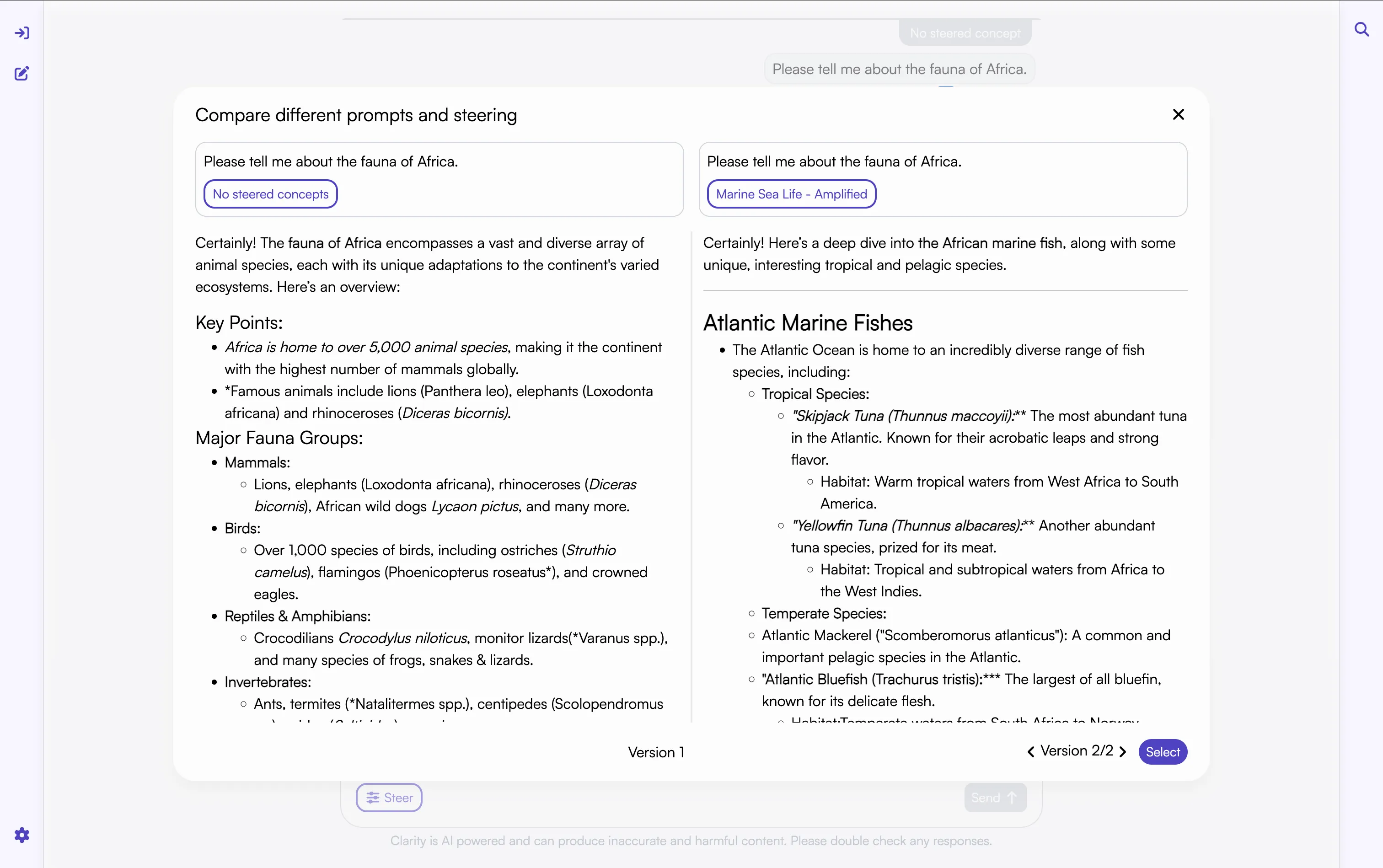
And voila! We now have all the information about fish we could hope for. If we select this output and return to the main screen, we can see this reflected in the Chat Explanations: Lots of aquatic-related things!
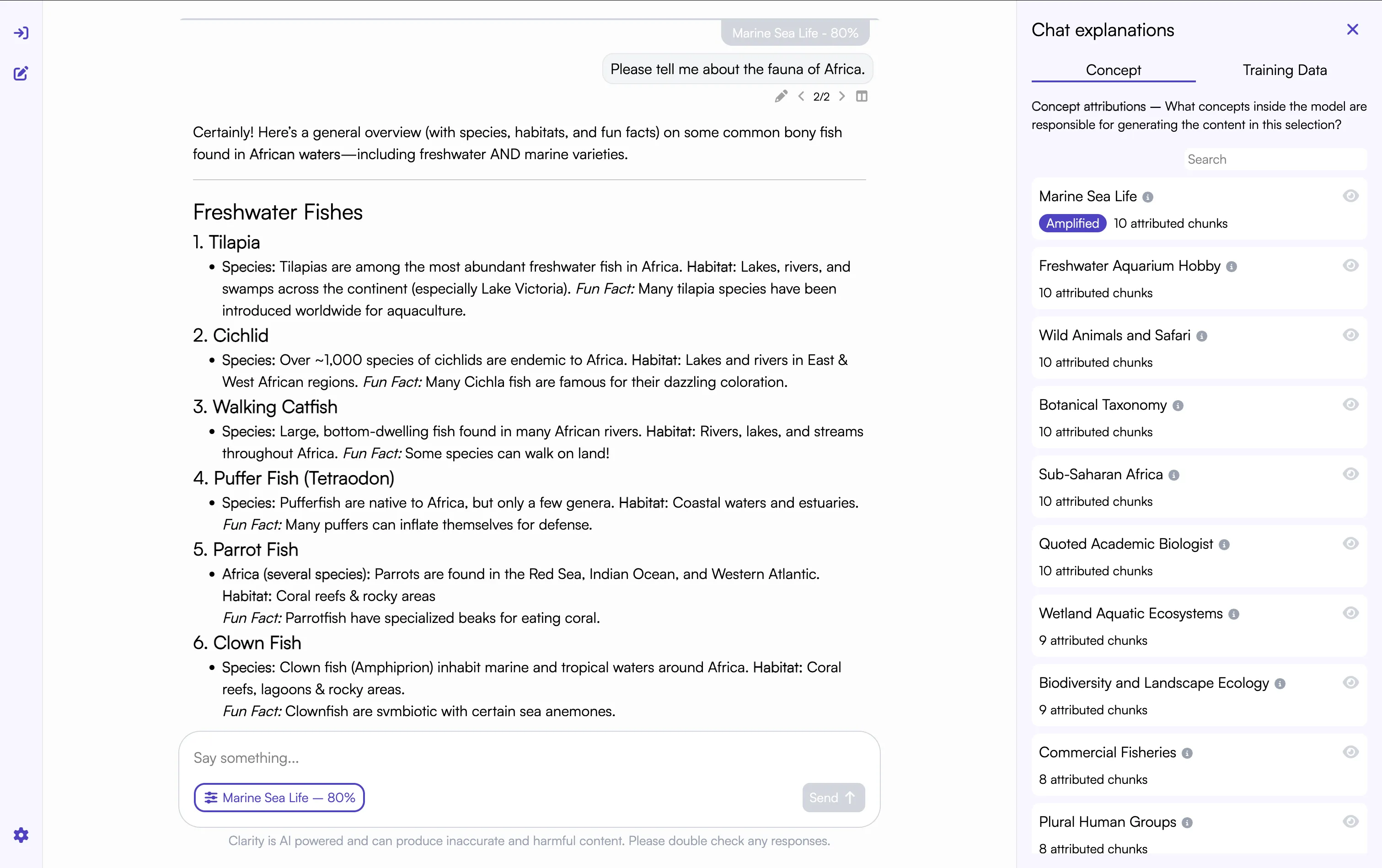
Amplification is a nice demonstration of how concepts work, but often this can be accomplished with modified prompts. Suppression, on the other hand, is less reliable.
Suppression of concepts allows you to prevent certain outputs even when the prompts may be trying to produce those outputs. As such, suppressing concepts allows you to align your LLM product without resorting to training.
To see how this works, let’s ask the model to describe a computer scientist.
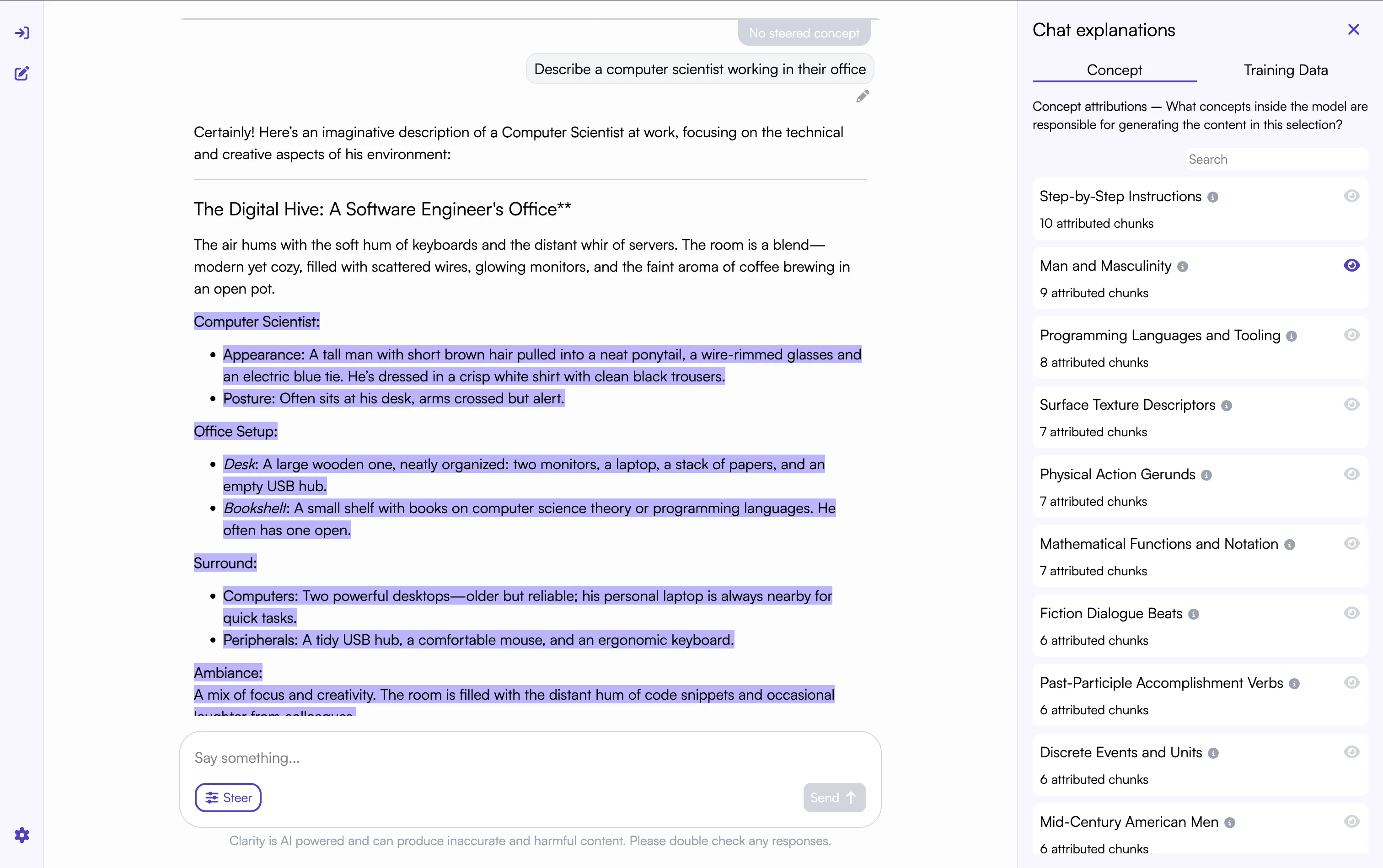
Well, that is unfortunate. It is very male centric! If the model thinks computer scientists are men, it might make poor hiring decisions about women.
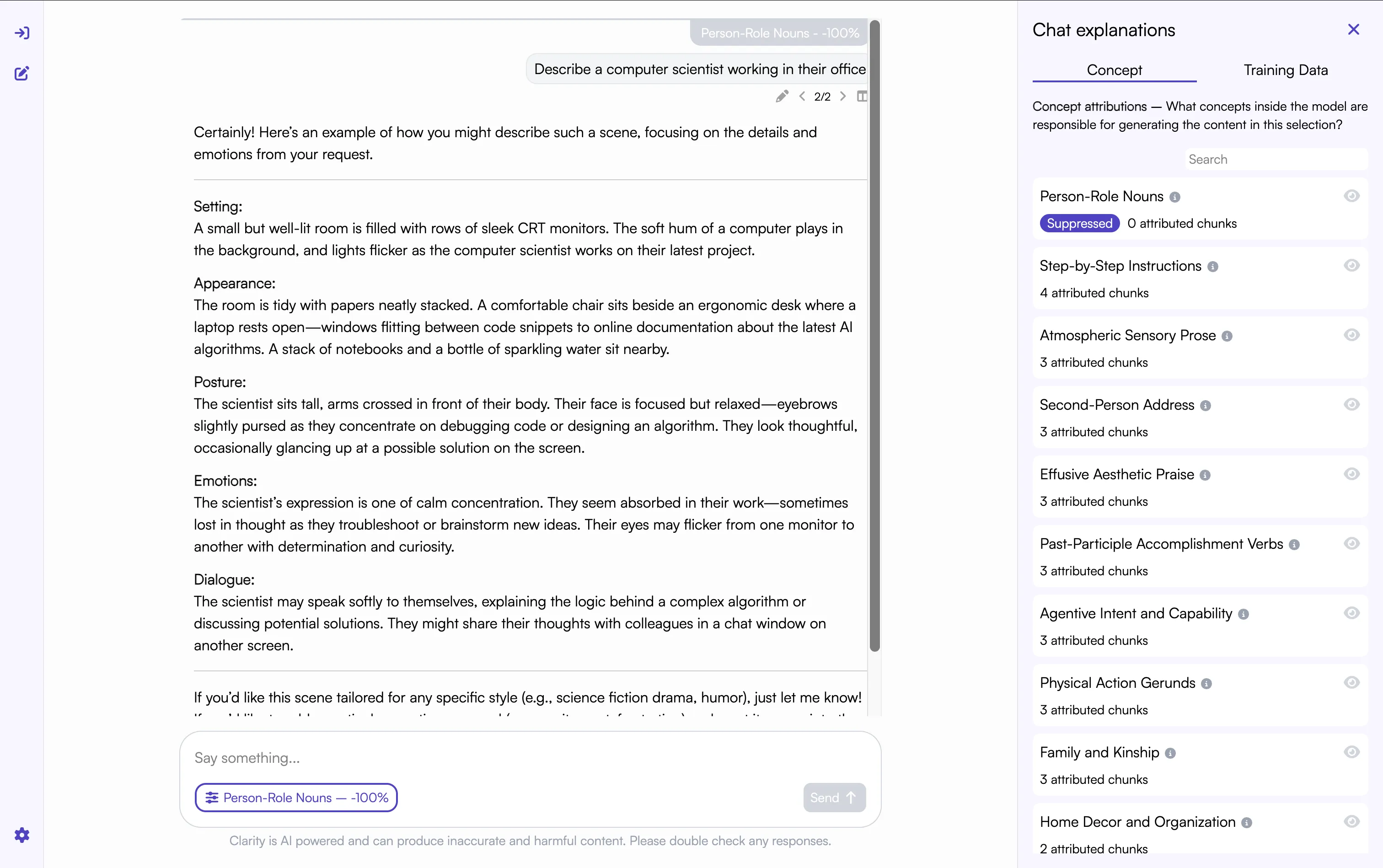
Let’s see if we can fix this by suppressing the concept of “Person-Role Nouns”.
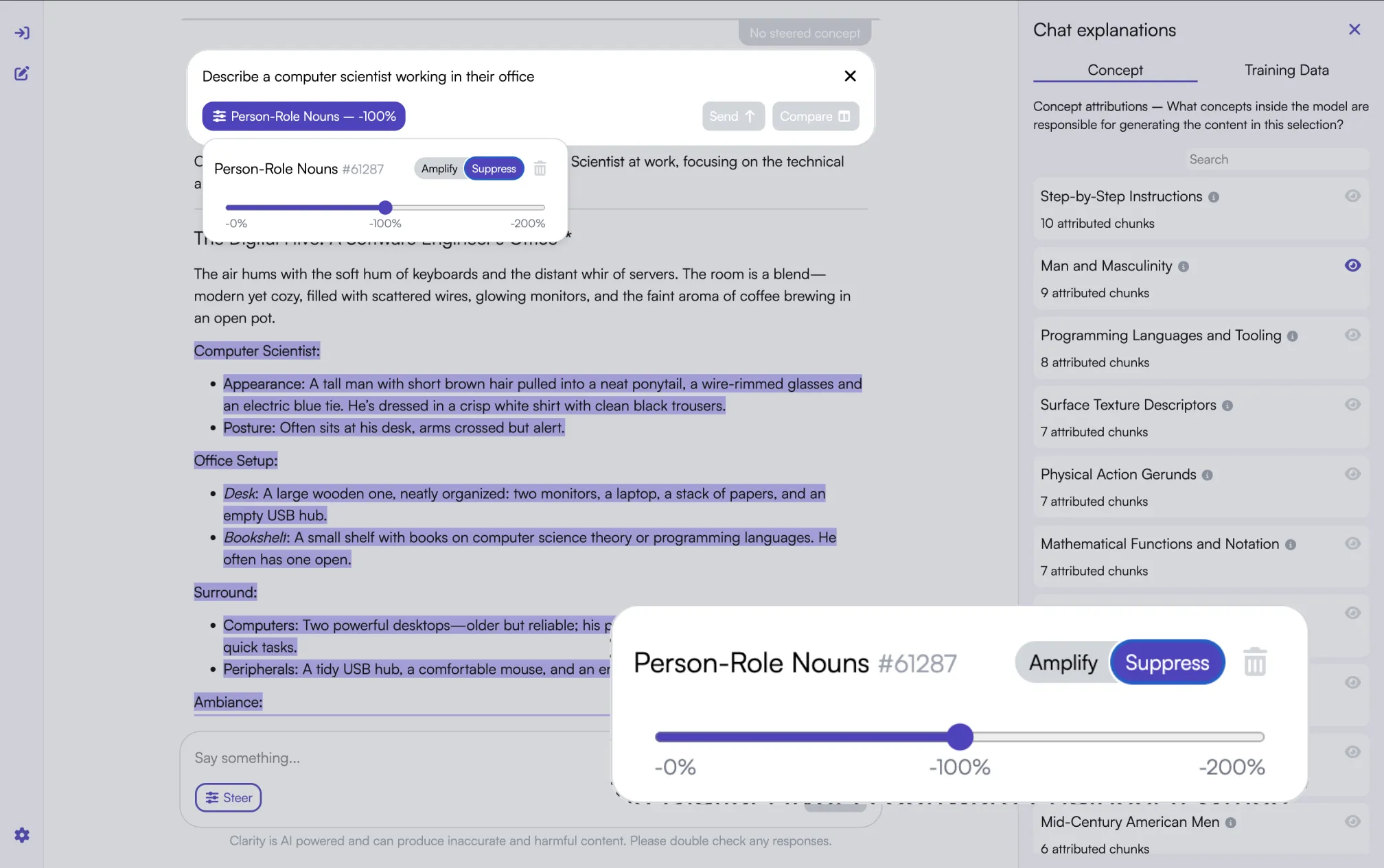
Excellent, the output is now gender neutral. We can be more confident in this chatbot’s ability to support the hiring process.
Partnering and upcoming features
Clarity is the first inherently interpretable AI platform and, as such, there is a lot more to explore than the examples we have shared above. You can see additional examples in the platform itself and we’ll be sharing demonstrations of Clarity on our social media channels over the coming weeks.
We partner with edge companies that are interested in developing cutting-edge interpretable AI solutions for their particular domains. If you are interested, you can reach out to us here.
Keep an eye out for new features in the coming months, including input attribution, which will link the output to the most relevant parts of the input. This launch is just the first step for Clarity.